
E-invoices in XRechnung and ZUGFeRD
Write the invoice once and send it the way each customer needs it: a ZUGFeRD PDF with the data inside, an XRechnung for a public authority, or a plain PDF. Both structured formats follow EN 16931.
EN 16931
The European standard both formats are built to
XRechnung 3
In CII syntax, for authorities with a Leitweg-ID
ZUGFeRD
The EN 16931 profile: a PDF with the data inside
§ 14 UStG
Required details are checked before an invoice is issued
01 Sending
The right format for each customer, decided once
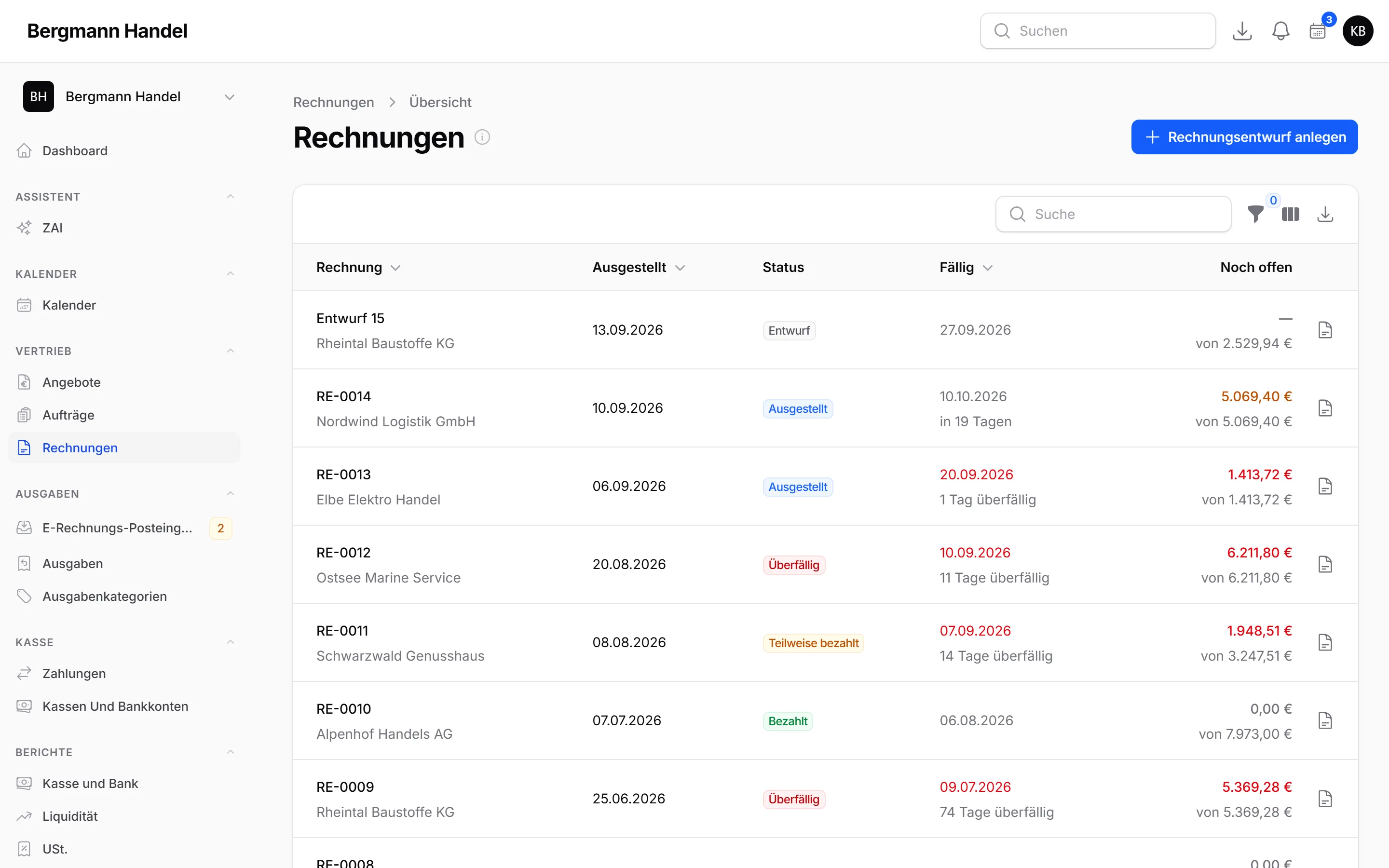
The customer card decides what an invoice becomes. Unless it says otherwise, a customer gets ZUGFeRD: the same page they have always received, with the invoice data inside for any software that wants it. A Leitweg-ID or the public-authority box means XRechnung, which a public body’s portal requires.
- A format can be named on each customer card
- XRechnung goes out with a PDF to read beside it
- Sent by e-mail from the invoice screen, in the customer’s language
- Each issued e-invoice is archived with its XML
02 Receiving
And the e-invoices your suppliers send you
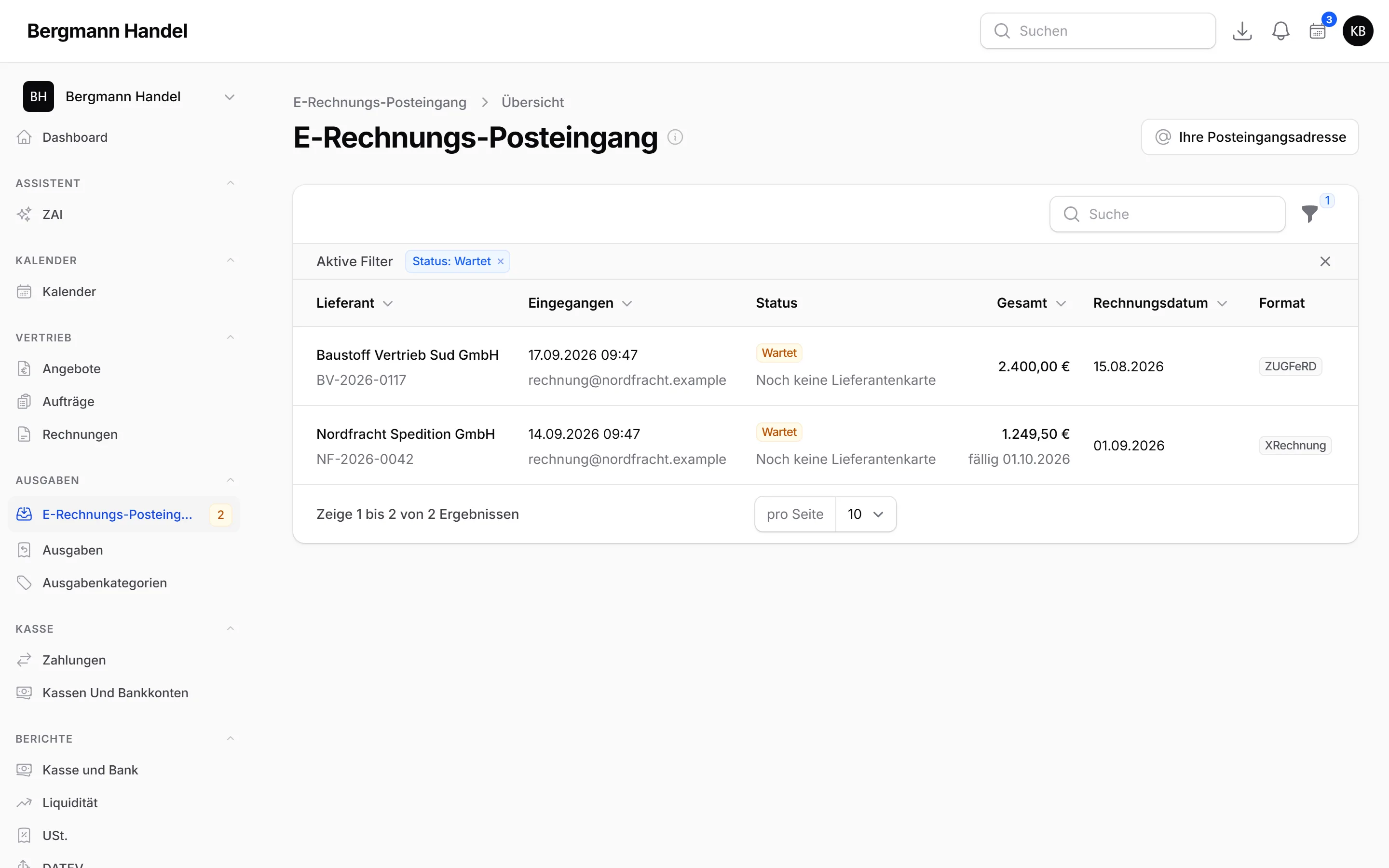
Since 1 January 2025 every business in Germany has to be able to receive e-invoices. Upload a ZUGFeRD or XRechnung file and it is read into an expense: supplier, lines and tax. Or give suppliers the address of your own e-invoice inbox and let their invoices arrive by themselves.
- Reading an e-invoice you upload is included in every plan
- Supplier, number, dates, lines and tax read in for you to check
- Nothing is booked until you confirm it
Step by step
How an e-invoice goes out
-
01
Write the invoice
As you always have: customer, lines, prices. Nothing about XML.
-
02
See what is missing
The invoice screen names any detail the format still needs, such as a buyer reference or a Leitweg-ID, before you send.
-
03
Issue it
It gets its number once the § 14 UStG details are complete, and the PDF your customer receives is archived.
-
04
Send it
By e-mail, in your customer’s language, as ZUGFeRD, XRechnung or PDF.
Questions and answers
What is the difference between XRechnung and ZUGFeRD?
Both carry the same EN 16931 invoice data. ZUGFeRD puts it inside an ordinary PDF, so a person reads the page and software reads the data. XRechnung is the data on its own, under stricter German rules, and is what public authorities ask for.
Do I have to send e-invoices already?
Receiving them has been required in Germany since 1 January 2025. Issuing them to business customers becomes required in stages in 2027 and 2028; until then other formats are still allowed. Your tax adviser can tell you which date applies to you.
Can I send an XRechnung to a public authority?
Yes. Enter the authority’s Leitweg-ID on the customer card and the invoice goes out as XRechnung, by e-mail, with a PDF beside it.
Will my invoice still look like my invoice?
Yes. ZUGFeRD is your usual invoice PDF with the data embedded. Your customer sees no difference unless their software reads it.
Your next step
Less admin. More room for your business.
Explore the plans and choose the workspace that fits your team.